From your material, not a blank page

Weave real teaching material into structured lesson plans

Upload a lecture, worksheet, reading, or unit outline. Choose your audience and a recognised pedagogical framework โ€” Gagnรฉ, BOPPPS, or 5E. Get a timed, Bloom-aligned lesson plan you can refine in conversation and grow into a course dashboard.

See all releases โ†’

Your material and API key stay on your device โ€” nothing is stored on our servers, because there are no servers.
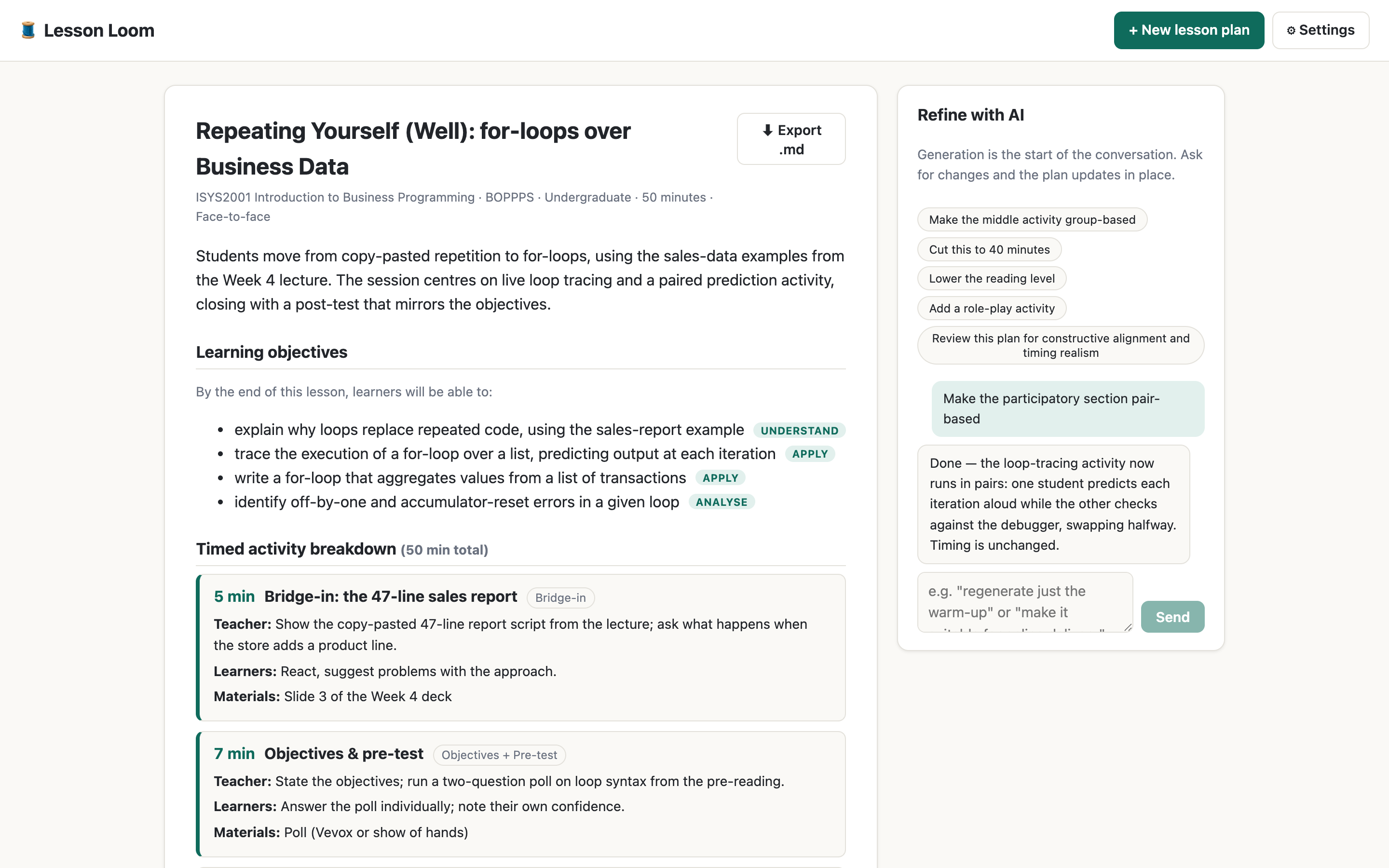
A generated lesson plan with timed segments and the AI refinement panel
A timed, framework-tagged plan โ€” refined in conversation
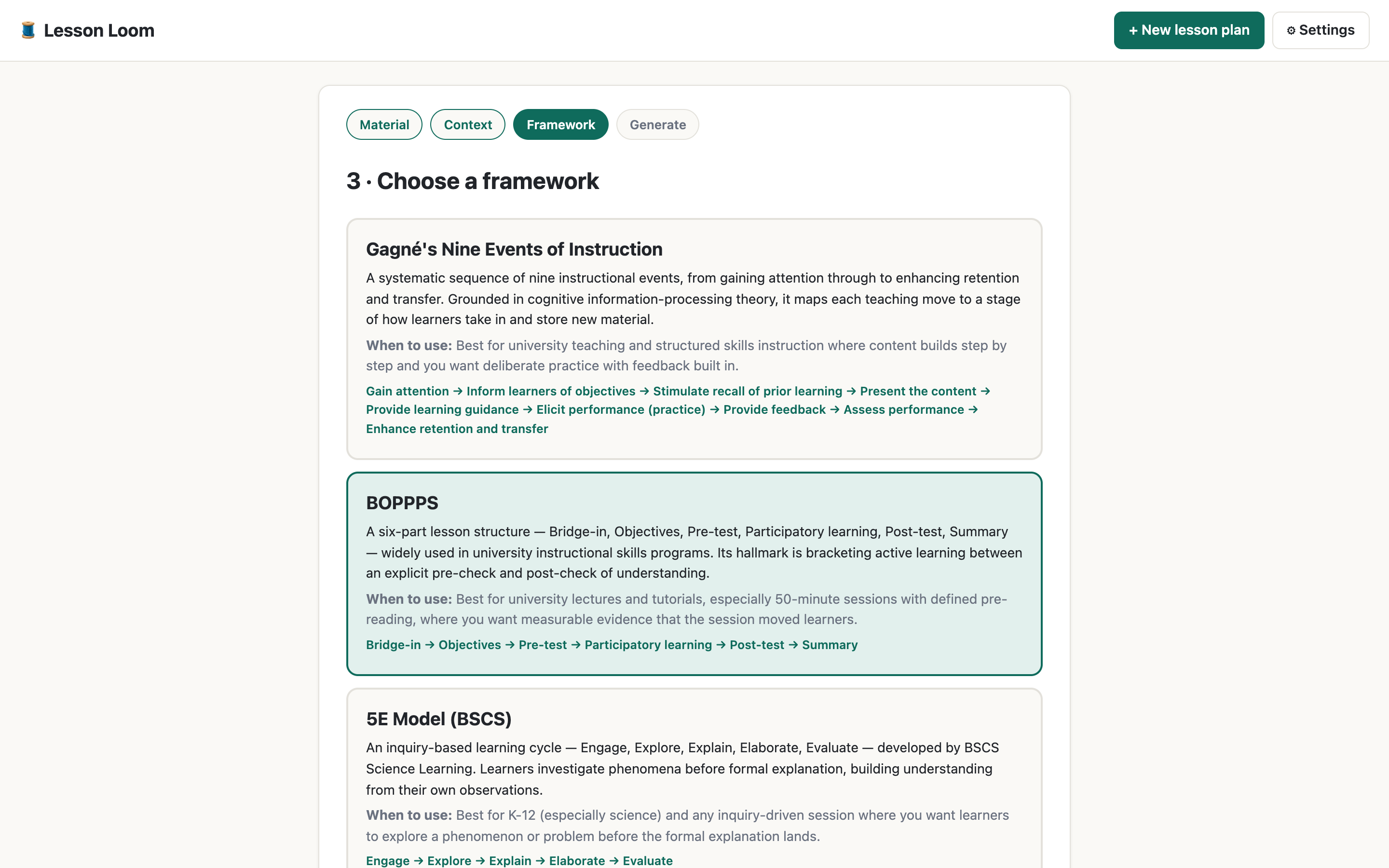
Choosing a pedagogical framework: Gagnรฉ, BOPPPS, or 5E
Pick a framework โ€” each explains when to use it
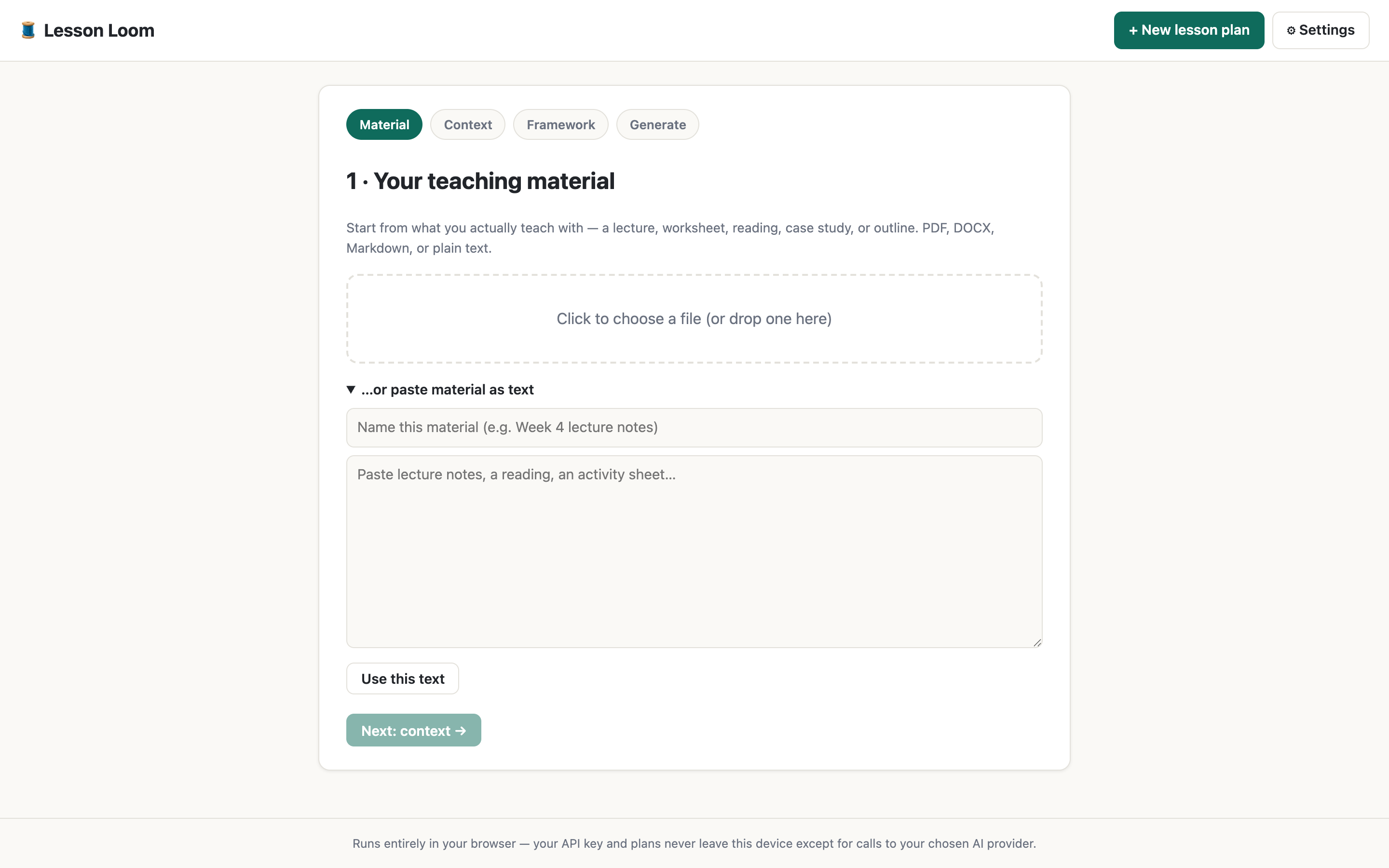
Uploading teaching material to start a lesson plan
Start from your actual material: PDF, DOCX, Markdown, or text
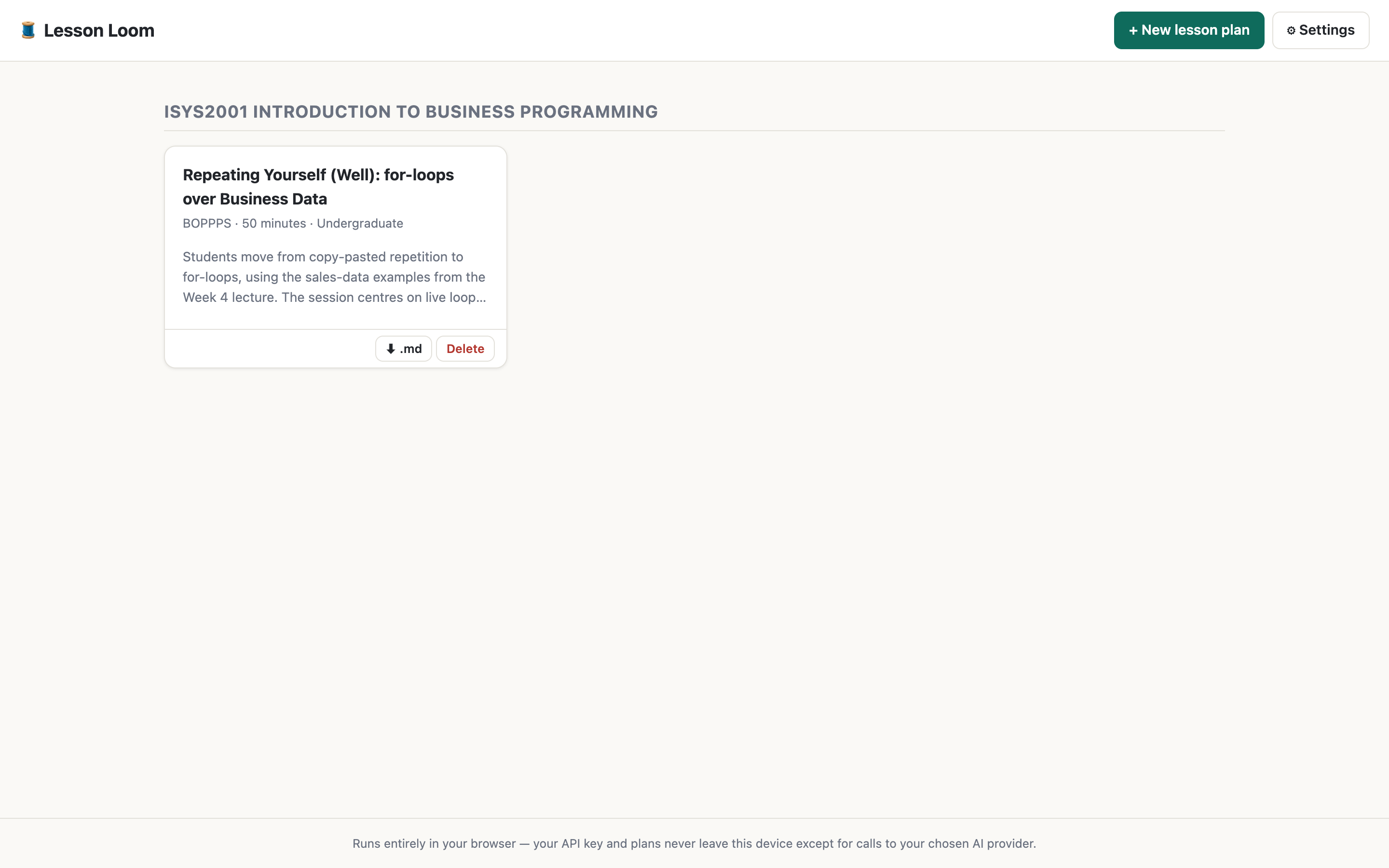
The course dashboard with saved lesson plans
Plans accumulate into a course dashboard

How it works

1

Upload what you teach with

A lecture, worksheet, case study, reading, or outline. Lesson Loom grounds the plan in your content โ€” not a generic topic prompt.

2

Set context, choose a framework

Audience, duration, delivery mode, and where the lesson sits in your sequence. Then pick Gagnรฉ's Nine Events, BOPPPS, or the 5E model.

3

Generate, refine, export

A timed plan with Bloom-tagged objectives and formative checks. Ask for changes in plain language. Export Markdown when you're done.

Built for real instructional design

โฑ๏ธ Timed segments

Minute allocations that actually sum to your session length, each tagged with the framework stage it fulfils.

๐ŸŽฏ Constructive alignment

Bloom-aligned objectives with activities and formative checks matched to them โ€” including anticipated misconceptions.

๐Ÿ”— Sequence aware

Tell it what came before and what's next; get genuine recap hooks and foreshadowing instead of generic openers.

๐Ÿค– GenAI policy layer

Set an AI stance per lesson โ€” not permitted, with acknowledgement, or required โ€” and get a matching student-facing statement.

๐Ÿ’ฌ Refine, don't regenerate

"Cut this to 40 minutes." "Make the middle activity group-based." The plan updates in place; the rest stays put.

๐Ÿงฉ Your AI, your choice

Anthropic, OpenAI, OpenRouter, a local Ollama, or any OpenAI-compatible endpoint โ€” bring your own key or run it fully local.

Your material never touches our servers

Lecture notes and unpublished course material are sensitive. Lesson Loom is built so you don't have to trust us with them.

๐Ÿ”‘ Bring your own key

Your API key lives in your browser or on your desktop, and calls go straight to the AI provider you chose. No middleman.

๐Ÿ’ป Desktop app

A native Mac/Windows/Linux app for educators who prefer their material never to pass through a web page at all.

๐Ÿ  Fully local option

Point it at Ollama on your own machine and no material leaves your computer โ€” or self-host for your whole department.

Three ways to run it

๐ŸŒ In your browser

Nothing to install. Free static hosting, your key stored locally.

Open the web app

๐Ÿ–ฅ๏ธ On your desktop

A native app that feels like one โ€” for privacy-conscious educators.

Download

๐Ÿข Self-hosted for your team

One Docker container, one org API key in a .env โ€” educators never handle keys.

git clone https://github.com/michael-borck/lesson-loom
cd lesson-loom && cp .env.example .env
docker compose up -d